OCuLink vs USB4: Key Differences, Performance & Use Cases in 2026
As external GPU (eGPU) upgrades, mini PC custom builds, and high-speed peripheral expansion become mainstream for gaming and professional content creation, OCuLink and USB4 have emerged as the two most popular high-speed interface standards. Most users struggle to tell apart OCuLink vs USB4, as both support eGPU connectivity and fast data transfer. However, their core hardware architecture, real-world performance, functional capabilities, and applicable scenarios differ significantly. Choosing the wrong interface can lead to wasted hardware potential, reduced gaming frames, or unstable professional workflow performance.
In this updated 2026 comprehensive guide, we thoroughly compare USB4 vs
OCuLink from core architecture, bandwidth efficiency, latency stability, power delivery, video output, compatibility, and practical use cases. By the end, you will clearly understand which interface is better for eGPU setups, mini PC expansion, daily office use, and high-load professional computing.
1. Core Architectural Difference
The biggest distinction between OCuLink and USB4 stems from their fundamental design architecture, which dictates their performance ceiling and functional limits. This core difference is why professional users prioritize OCuLink for eGPU, while ordinary users prefer versatile USB4 ports.
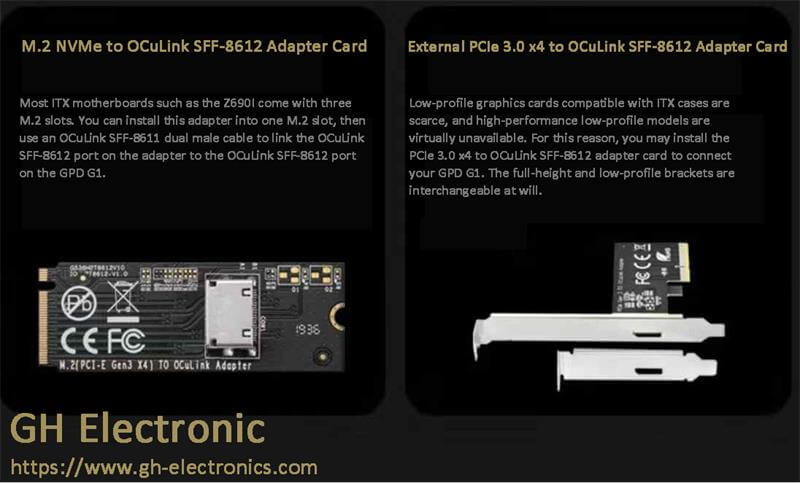
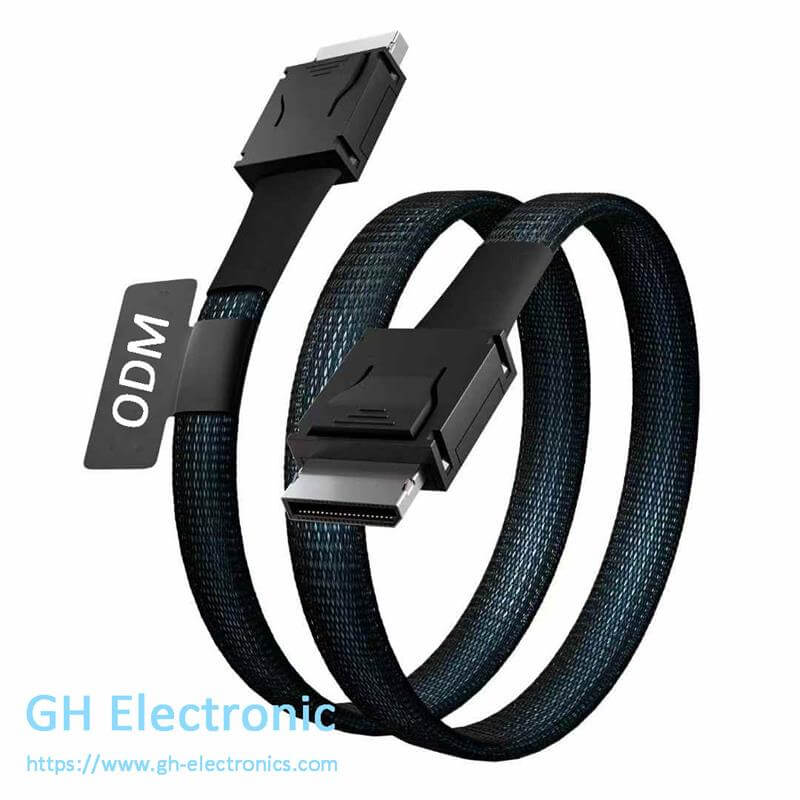
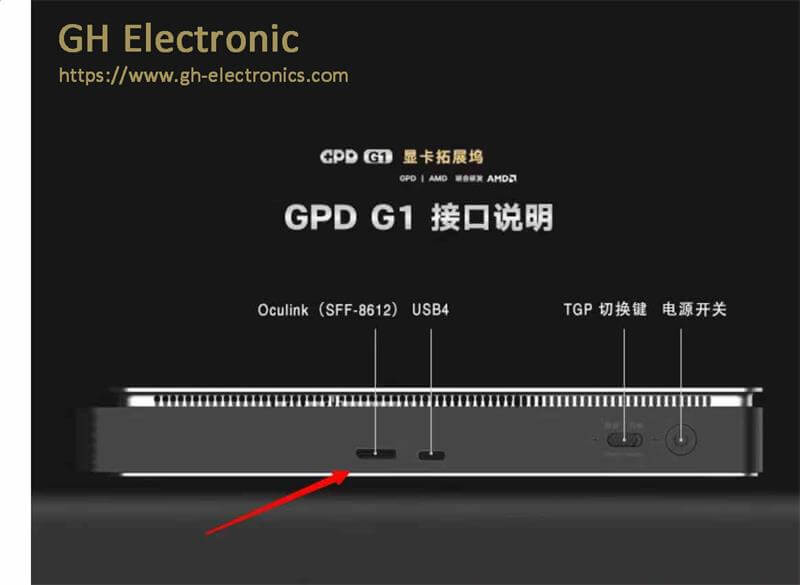
OCuLink is a dedicated external PCIe interface designed for direct PCIe signal transmission. It creates a
native, protocol-transparent PCIe connection between the host device and external peripherals. There is no signal repackaging or protocol conversion during data transmission, making it a pure high-speed expansion channel for professional hardware.
USB4 is a universal multi-functional interface built on the Thunderbolt 3 protocol framework. It integrates multiple functions including data transmission, video output, and power delivery in one USB-C port. USB4 needs to tunnel PCIe signals through protocol encapsulation and conversion, resulting in inherent overhead during data transmission.
2. Bandwidth & Real-World Performance
Bandwidth efficiency is the most critical factor for eGPU operation and high-speed hardware expansion, and the real-world performance gap between OCuLink and USB4 is much wider than their theoretical parameter difference. Unlike static theoretical values, actual bandwidth utilization directly affects gaming frame rates, rendering speed, and data transmission stability.
OCuLink (PCIe 4.0 x4) delivers a maximum theoretical bandwidth of 64Gbps. Thanks to its direct PCIe connection with zero protocol overhead, the real-world bandwidth utilization rate is extremely high. In actual eGPU gaming and rendering tests, OCuLink only causes a 3%–10% performance loss compared with a desktop native PCIe x16 slot, achieving nearly desktop-level graphics performance.
USB4 features a standard theoretical bandwidth of
40Gbps, lower than OCuLink’s specification. More importantly, USB4’s bandwidth is dynamically shared across three core functions: PCIe data transmission for eGPU, DisplayPort video output, and USB peripheral connectivity. Complex protocol encapsulation and conversion further consume extra bandwidth resources. In real eGPU tests, this results in a
10%–20% performance drop, which is highly noticeable when running 3A blockbuster games, 4K/8K video rendering, and heavy graphic design tasks.
3. Latency Performance Comparison
For competitive gaming, real-time 3D rendering, AI computing, and industrial low-latency applications, interface latency stability is as important as bandwidth. In the OCuLink vs USB4 latency comparison, OCuLink holds an overwhelming advantage with consistent low latency performance.
OCuLink’s direct PCIe connection eliminates intermediate protocol conversion links, bringing ultra-low and stable latency. It avoids packet delay and data jitter, perfectly matching the real-time response requirements of high-performance GPUs.
In contrast, USB4 adopts a multi-protocol multiplexing design to support its multi-functional features. When users simultaneously run eGPU data transmission, monitor video output, and connect USB peripherals, bandwidth scheduling and protocol switching cause obvious latency fluctuations. This instability easily leads to frame drops, screen tearing, and input lag in competitive games and precision professional design work.
4. Functional Features: Power & Video Output
The core advantage of USB4 over OCuLink lies in its integrated multi-function design, making it the ideal universal interface for daily consumer use. OCuLink focuses purely on high-speed data transmission, while USB4 combines power delivery, video output, and data transfer into one compact USB-C port, greatly improving device portability and usability.
USB4 Full-Featured Functions:
- Power Delivery (PD): Supports bidirectional fast charging, which can charge laptops, tablets, and mobile phones, realizing one-cable power supply for devices.
- DisplayPort Video Output: Natively supports high-resolution video transmission, driving 4K/8K monitors directly without additional adapters.
- Multi-device Compatibility: Adopts universal USB-C port, compatible with almost all USB-C peripherals, plug-and-play.
OCuLink Single-Function Positioning:
- No power delivery function: OCuLink ports cannot supply power to devices, and external docks must be connected to independent power sources.
- No native video output: It only transmits PCIe data signals and cannot directly output display signals.
-
Pure data expansion: It only focuses on high-speed data transmission for professional expansion hardware such as eGPUs and high-speed SSDs.
5. Compatibility & Ease of Use
USB4 is the mainstream universal interface for modern consumer electronics with outstanding cross-device compatibility. Nearly all new-generation laptops, portable mini PCs, tablets, and desktop motherboards integrate full-featured USB4 ports. It supports hot-plugging and zero-complexity setup, allowing ordinary users to instantly connect external SSDs, displays, docking stations, and mobile devices without professional configuration.
OCuLink is a professional dedicated expansion interface with relatively low market penetration for consumer devices. It is mainly equipped on high-performance mini PCs, industrial control equipment, and professional gaming motherboards. Its usage threshold is higher: users need dedicated OCuLink cables, independently powered eGPU docks, and matched hardware combinations. This positioning makes OCuLink exclusive to hardware enthusiasts and professional creators, rather than daily office and portable use scenarios.
6. Suitable Scenarios: How to Choose?
Choose OCuLink if you:
- Pursue ultra-high eGPU performance for 3A gaming, 3D modeling, video rendering, and AI computing
- Require stable low latency and high bandwidth for professional creative and industrial tasks
- Use fixed desktop/mini PC workstations and do not need one-cable multi-function daily use
- Focus on long-term high-load hardware stability and low performance loss
Choose USB4 if you:
- Need a one-port multi-purpose solution for daily office, entertainment, and light expansion
- Frequently connect monitors, mobile phones, U disks, and other universal peripherals
- Prefer simple plug-and-play operation and no complicated hardware assembly
- Use portable laptops and need simultaneous data transmission, video output, and device charging
- Only need light eGPU use for casual gaming and simple graphic design
Final Verdict
After comparing OCuLink vs USB4 in performance, functionality, compatibility, and usage scenarios, it is clear that neither interface is universally superior. They are designed for completely different user positioning and application environments, catering to casual users and professional users respectively.
OCuLink is a professional-grade high-performance expansion interface. Its direct native PCIe connection, ultra-low stable latency, and minimal performance loss make it the top choice for professional creators, hardware enthusiasts, and users building high-load eGPU workstations for gaming, rendering, and AI tasks.
USB4 is a consumer-oriented universal multi-functional interface. Its core strengths are wide device compatibility, all-in-one cable functionality (power + video + data), and excellent portability, perfectly matching the daily office, entertainment, and light eGPU expansion needs of most ordinary users.
FAQs
1. Is OCuLink faster than USB4?
Absolutely yes. OCuLink (PCIe 4.0 x4) delivers 64Gbps theoretical bandwidth with near-zero protocol overhead and high actual utilization. In comparison, USB4 only provides 40Gbps shared bandwidth, with massive performance loss caused by multi-task multiplexing and protocol conversion. For eGPU expansion and high-speed data transfer, OCuLink is significantly faster and more stable than USB4.
2. Can USB4 replace OCuLink for eGPU?
USB4 can support basic eGPU connection but cannot replace OCuLink for professional high-performance eGPU usage. It works well for casual gaming and simple graphic design with low load. However, under high-load scenarios such as 3A game operation, 4K professional rendering, and large-scale AI computing, USB4 will suffer from severe frame drops, performance attenuation, and unstable output, while OCuLink maintains consistent desktop-level performance.
3. Does OCuLink support charging and video output?
No, OCuLink supports neither power delivery nor native video output. It is a pure data transmission interface dedicated to PCIe signal transmission for eGPUs and high-speed expansion hardware. OCuLink eGPU docks require independent external power supplies, and users need additional display interfaces for video output, unlike all-in-one USB4 ports.
Tags: OCuLink vs USB4, USB4 vs OCuLink, eGPU interface comparison, high-speed PC interface, mini PC expansion interface, external GPU connection, OCuLink performance advantage